 GetRent
Free rent invoice template + generator (PDF)
Create a professional rent invoice in your browser — fill in the fields below, watch it build live in the same format the GetRent app produces, and download it as a PDF. Free, no sign-up, nothing leaves your device.
Free rent invoice template & generator
Fill in the details and your invoice updates live. When it looks right, tap Download PDF — it opens your browser’s print dialog, so choose Save as PDF.
| Description | Amount due |
|---|---|
| Rent | 2,000.00 |
| Utilities | 183.70 |
| Amount due | 2,183.70 USD |
What is a rent invoice?
A rent invoice is a short document a landlord sends to a tenant that states how much rent is due, for which period, and how to pay it. Even when rent is fixed each month, sending an invoice creates a paper trail that protects both sides and makes your bookkeeping and tax reporting far simpler.
What to include on a rent invoice
- Invoice number and date — a unique number and the date it was issued.
- Landlord and tenant details — names and contact information for both parties.
- Property address — the exact unit the rent relates to.
- Rental period — the month or dates the payment covers.
- Itemized charges — base rent, plus any repairs, maintenance or extras.
- Total amount payable — the sum the tenant owes.
- Due date and payment method — when and how to pay.
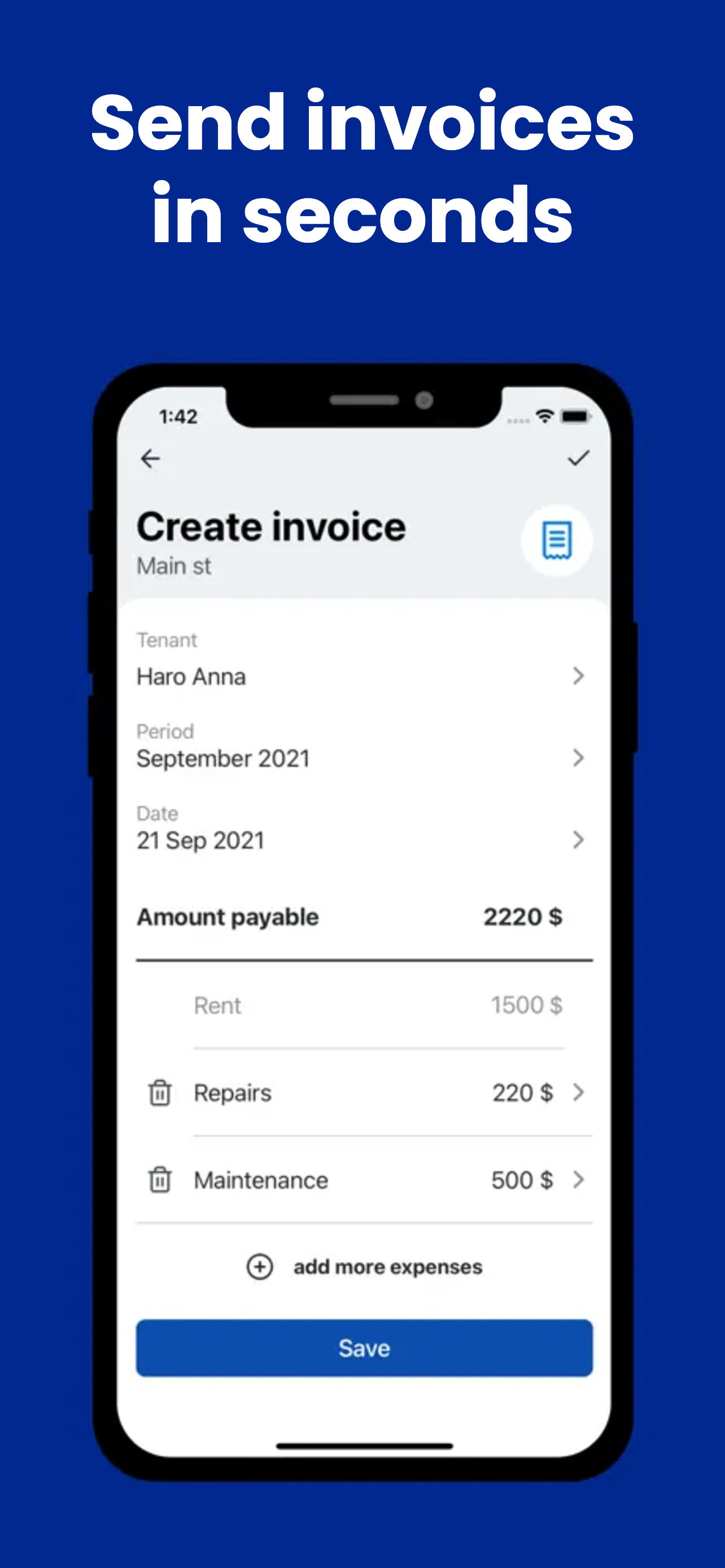
How to create a rent invoice with GetRent
Instead of editing a template by hand each month, GetRent builds the invoice from the property and tenant you already set up:
- Open the property and tap Create invoice.
- Pick the tenant and period — GetRent fills in the details automatically.
- Add line items — base rent is included; add repairs or maintenance in a tap.
- Review the amount payable — the total updates as you add items.
- Export to PDF and send it to your tenant in seconds.
Because every invoice is linked to the property, it also flows straight into your income and expense records and your profit & loss — no double entry.
Rent invoice template vs an app
A Word or Excel rent invoice template works for a single unit, but it breaks down as you grow: you re-type the same details, risk numbering mistakes, and have to store PDFs somewhere separate from your accounts. An app keeps invoices, payments and reports in one place, which is why many landlords move on from templates — see our rental spreadsheet alternative guide.
Rent invoice FAQ
Is a rent invoice legally required?
In most places a landlord isn’t legally required to send a monthly rent invoice, but it’s strongly recommended — it creates a clear paper trail, helps you get paid on time and makes tax reporting easier. Company tenants often ask for one.
Can I make a rent invoice in Word or Excel?
Yes — a Word or Excel rent invoice template works for a single unit. The free generator above does the same job in your browser and exports a clean PDF, and the GetRent app automates it once you manage more than one property.
What’s the difference between a rent invoice and a rent receipt?
A rent invoice is a request for payment sent before the tenant pays. A rent receipt confirms money already received. Many landlords send an invoice at the start of the period and a receipt — or a marked-paid invoice — afterwards.
How do I create a rent invoice PDF for free?
Fill in the generator above and choose Download PDF — your browser saves it as a PDF, no sign-up. For recurring monthly invoices, GetRent generates them from your saved property and tenant in a couple of taps.
Send your next rent invoice in seconds
Download GetRent free and create your first professional rent invoice PDF today.
Download on theApp Store