 GetRent
How to track rental income and expenses
Good records are the difference between a rental that quietly makes money and one you can’t explain at tax time. Here’s a simple system any landlord can keep up with — and how GetRent does the math for you.
Why tracking income and expenses matters
When you record every payment in and every cost out, you always know whether a property is profitable, you can spot problems early, and you have the numbers ready for your tax return. Skip it, and you’re left guessing — or scrambling through bank statements once a year.
A simple system that works
- Track per property. Keep each rental’s income and costs separate so you can see how each one performs.
- Record income when it arrives. Log rent payments, plus deposits or fees, with the date received.
- Categorize expenses. Repairs, maintenance, management fees, insurance, utilities — a consistent set of categories makes reporting easy.
- Keep receipts attached. Store the receipt or transaction detail with the expense so nothing is lost.
- Review monthly. A quick monthly check keeps your books clean and avoids a year-end pile-up.
Rule of thumb: if money moves because of a property, record it the same day. Two minutes now saves hours later.
How GetRent tracks it automatically
GetRent turns that system into a few taps:
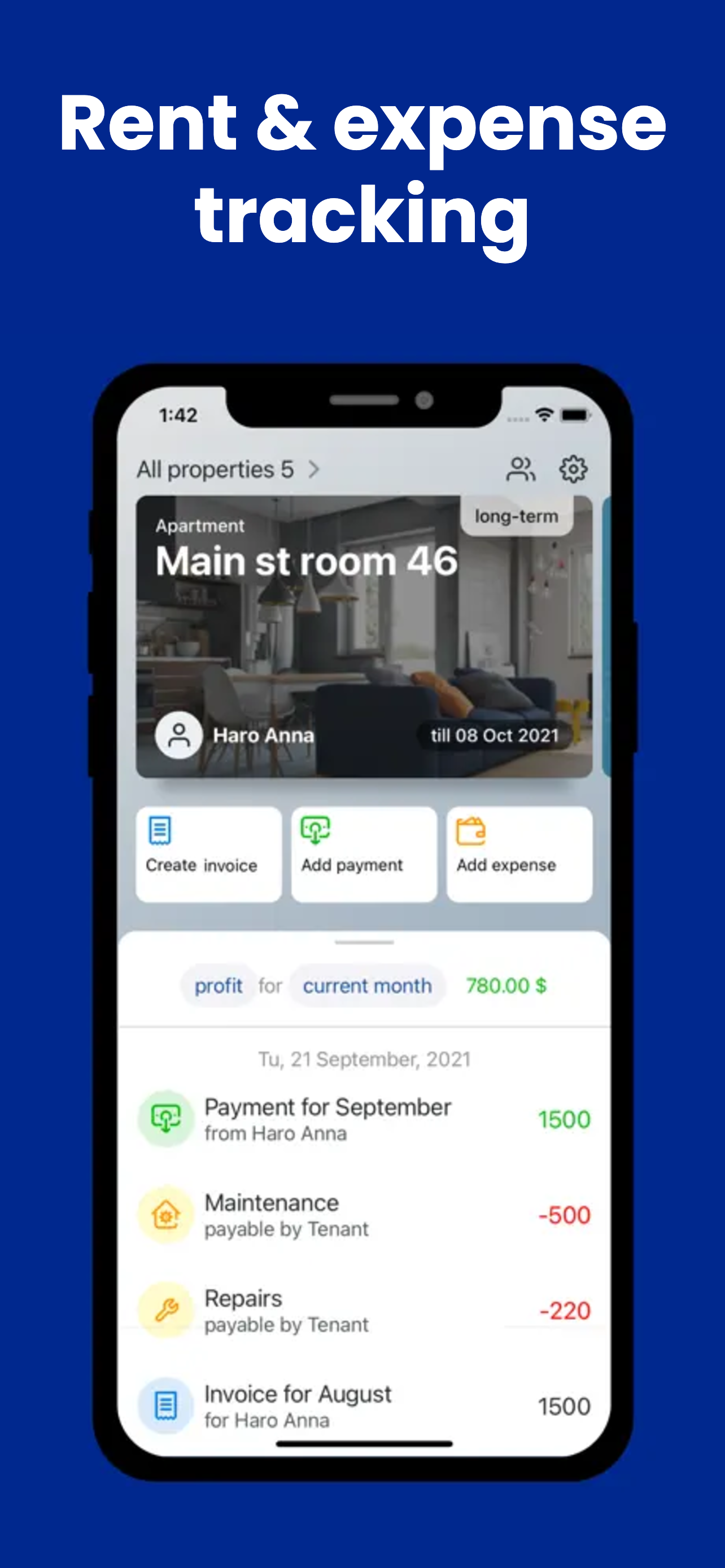
- Tap Add payment to log rent received, or Add expense to record a cost — against the right property.
- Attach transaction details and receipts so everything stays together.
- Watch your profit for the current month update instantly on the dashboard.
- Switch periods or properties to see exactly where your money is going.
From there, creating a rent invoice or pulling a profit & loss statement takes seconds, because the data is already in place.
Track your rental income & expenses the easy way
Download GetRent free and set up your first property in minutes.
Download on theApp Store